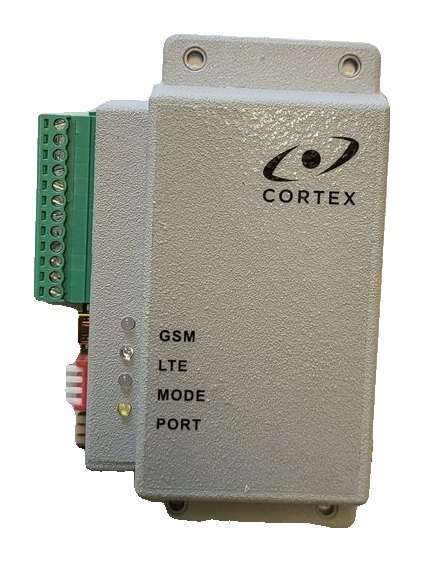
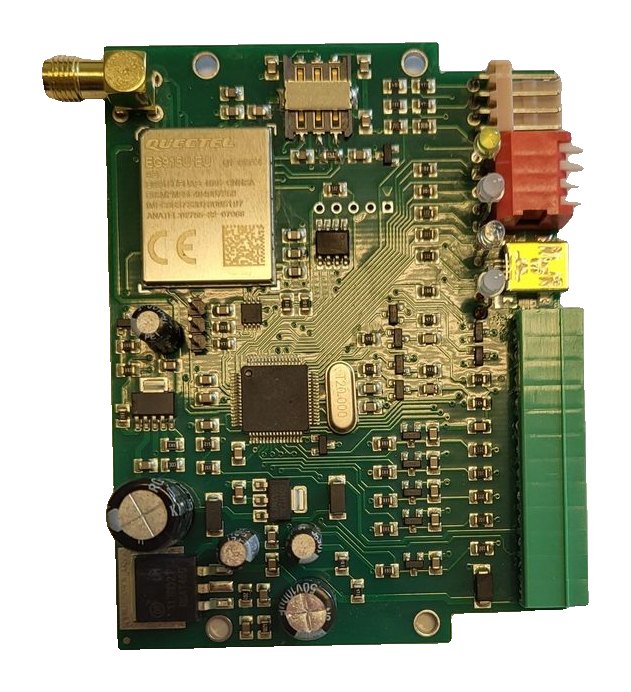
RT4-5GP/4: backup SMS and SMS commands
The main alarm channel for the owner is the Defendex app. On the RT4-5GP/4, SMS is the second channel: a backup when the link drops, operation where there is no monitoring centre, and commands from a phone — checking the site, switching an output. Here is how to set it up.
When SMS is needed
- The main alarm path is over 4G/2G to the server and as a push notification in the Defendex app. If the IP link drops while a message is being sent, the transmitter sends the unsent message by SMS to user 1.
- If no main server IP address is set (or it is 0.0.0.0) and no DNS server is set, the transmitter does not connect to a monitoring centre and works in OffLine mode — SMS only.
- In SMS mode the transmitter draws 15 mA at 12 V (150 mA in OnLine mode).
- There can be up to four users. By default, input alarms and restores go to users 1 and 2, and service messages (battery, test, errors) to user 1.
Users
- User 1 is the master. From the master phone send 91. followed by its own number (for example, 91.+37122334455); the transmitter replies OK.
- From the master phone add the others: 92. and the number for user 2, 93. for user 3, 94. for user 4.
- Check the numbers with commands 81, 82, 83, 84; delete a user with 92, 93 or 94 without a number.
A number with a country code is written with «+», up to 15 digits. The transmitter recognises the sender by the last 8 digits of the number; change this with 99.Nx (99.N0 compares the full number).
Text or code
| Mode | For | What the message looks like |
|---|---|---|
| Text | A person with a phone | Time, partition and event description, for example “Transm.: Alarm zone 1” |
| Code | A computer, CU-GSM receiver or software | A Contact ID code with account, date, time and checksum |
- Each user switches their own mode by sending “*” to the transmitter.
- Message texts are in English by default. Russian and Latvian tables are available on the ff.cortex.lv portal and are loaded with USB_Reader or TLF_Serv.
- In the text editor you can name partitions (the name is sent instead of the number) and block messages that have no description.
Inputs
The transmitter has four general-purpose inputs IN1–IN4 (normally open by default) and input IN5 for mains power monitoring (normally closed). An input alarm arrives with code 830 and the input number: E830001 — zone 1 alarm, R830001 — restore. An alarm on input 5 means mains power loss. Event codes and the normal input state are changed in USB_Reader, Advanced Settings tab.
Commands from a phone
| SMS | What it does | Allowed by default for |
|---|---|---|
| 0 | Site status: which inputs are in alarm, or “Battery OK” if all is normal | All users |
| * | Switch message mode Text / Code | All users |
| 1 / 2 | Switch output 1 on / off | Users 1 and 2 |
| 1.xxx | Switch output 1 on for xxx seconds | Users 1 and 2 |
| 3 / 4 | Switch output 2 on / off | Users 1 and 2 |
| 3.xxx | Switch output 2 on for xxx seconds | Users 1 and 2 |
| 081.xxxx | Restart the transmitter (xxxx is the security code) | User 1 |
Outputs O1 and O2 are open-collector, up to 30 V and 1 A. The default security code is 1234; change it with 96. followed by the old and new code (96.12345678).
Command by phone call
Each user can be given one command that runs when they call the transmitter: it rejects the call and carries out the command — for example, switching an output on for a set time. The command is set in USB_Reader 1.7.14 or later or TLF_Serv 2.3.0.6 or later.
Good to know
- The test message period is set with 99.T followed by the number of tens of minutes (up to 255).
- When the battery runs low, “Transm.: Battery low” is sent. Below 8 V the transmitter stops sending messages to avoid losing data and resumes at 11.5 V.
- Commands must be typed exactly: one extra character or space and the command is ignored. The phone must send SMS in text mode.
- To check the signal and settings, use commands 99.C1–99.C4.
Documentation
Learn more
This guide is based on the CORTEX manual. If you have questions, call technical support: +371 26485444 (24/7).