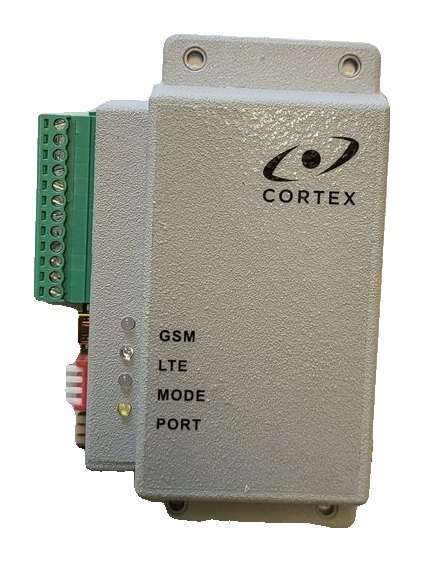
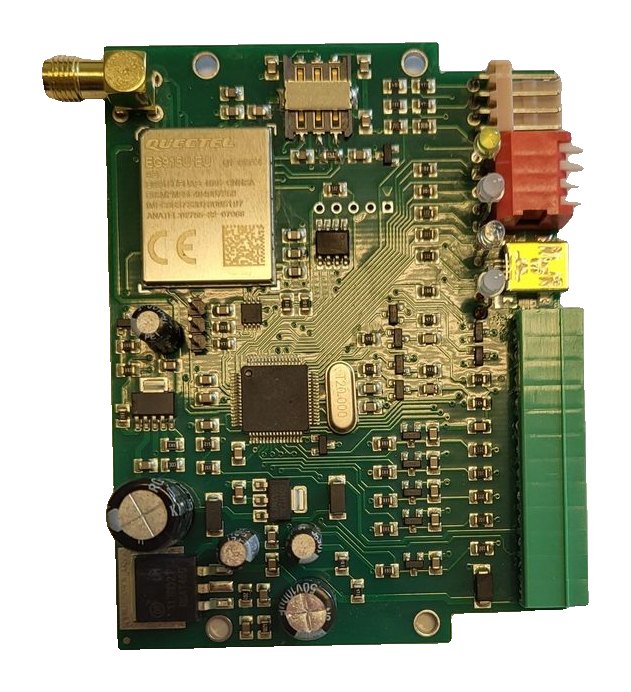
RT4-5GP/4 during a mains failure: power, battery and messages to the monitoring centre
What happens to the RT4-5GP/4 transmitter when the site loses mains power: which messages go to the monitoring centre, when it switches to a power-saving mode, at what voltage it stops transmitting, and how to set this up and check it.
Transmitter power in numbers
| Parameter | Value |
|---|---|
| Supply voltage | 9–15 V, terminals 1 (−E) and 2 (+E) |
| Current at 12 V in SMS mode | 15 mA |
| Current at 12 V in OnLine mode | 150 mA |
| Message sending stops | Below 8 V |
| Sending resumes | At 11.5 V, automatically |
What happens when the mains fails
- Input IN5 detects the 220 V mains failure: message E830005 (“Transm.: Alarm zone 5”) is sent. If an alarm panel is connected, it reports the mains with its own code — 301.
- The site runs on the battery. The transmitter monitors its own supply: when it drops below normal, E822000 (“Transm.: Battery low”) is sent and the MODE indicator starts blinking green once a second.
- If forced exit from OnLine is enabled, the transmitter sends E804000 (“Check bat or power”) and leaves OnLine mode to save power: in SMS mode it draws 15 mA instead of 150 mA.
- Below 8 V the transmitter stops sending messages — this protects against data loss when the battery is fully discharged.
- When power returns and the voltage rises to 11.5 V, sending resumes automatically. The restore is reported by R830005 (“Transm.: Restore zone 5”) and R822000 (“Transm.: Battery restore”).
Power messages
| Code | Restore | Event | Source |
|---|---|---|---|
| E830005 | R830005 | 220 V mains lost (input IN5) | Transmitter |
| E822000 | R822000 | Transmitter supply below normal | Transmitter |
| E804000 | — | Forced exit from OnLine mode | Transmitter |
| E301000 | R301000 | AC (mains) failure | Panel: Esprit, MG/SP/E, DSC, Digiplex EVO |
| E301xxx | R301xxx | AC (mains) failure, xxx — module number | CADDX NX panel |
| E302000 | R302000 | Panel battery low | Panel: Esprit, MG/SP/E, DSC |
| E309000 | R309000 | Panel battery low | Digiplex EVO panel |
| E309001 | R309001 | Battery fault | CADDX NX panel |
- The transmitter’s own messages arrive with partition 99 — that is how they are told apart from panel messages.
- By default E830005 goes to the first and second users, E822000 and E804000 to the first.
Settings
- Input IN5 is normally closed by default. The input type (NO or NC) and event code are changed in USB_Reader, on the Advanced Settings tab.
- If the IN5 event code is set to anything other than 830, the zone number in the message will be 000.
- Forced exit from OnLine on a low battery is enabled by default and is switched off in USB_Reader.
- The current value is shown by command 99.C1: ForceOff:1 — leave OnLine when the battery is low, ForceOff:0 — do not leave.
When power must not be touched, and when it must be off
- During a firmware update the power must stay uninterrupted until the process ends; otherwise the transmitter may stop working and can only be restored at the factory. The sign of an update is the LTE indicator blinking blue quickly.
- Change the operating mode with the DIP switch only with the power off.
- For programming with USB_Reader no power is applied: just connect the mini USB cable and the MODE indicator turns red.
Checking
- SMS 0 — you receive the list of inputs in alarm, or “Battery OK” if everything is normal.
- SMS 99.C4 — the IN line shows the inputs in alarm: IN:5 means input 5 is in alarm, so the mains is off.
- The MODE indicator blinks green once a second — the transmitter supply is below normal.
- Switch off the mains at the site and make sure E830005 arrives at the monitoring centre, and R830005 after it is switched back on.
- In the Defendex app the site’s events are shown in the event archive.
Documentation
Learn more
- RT4-5GP/4 inputs and outputs →
- RT4-5GP/4 Contact ID event codes →
- All RT4-5GP/4 SMS commands →
- Power supplies in the catalog →
This guide is based on the CORTEX manual. If you have questions, call technical support: +371 26485444 (24/7).