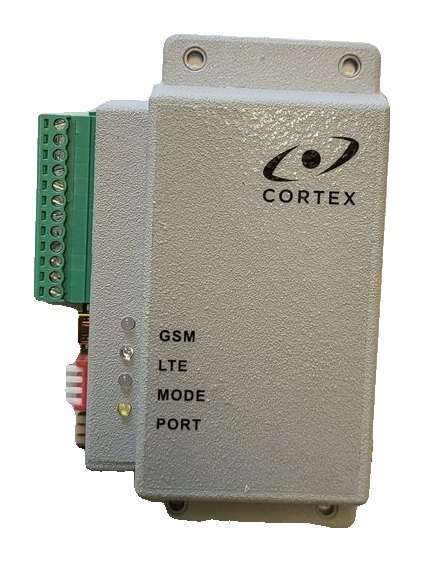
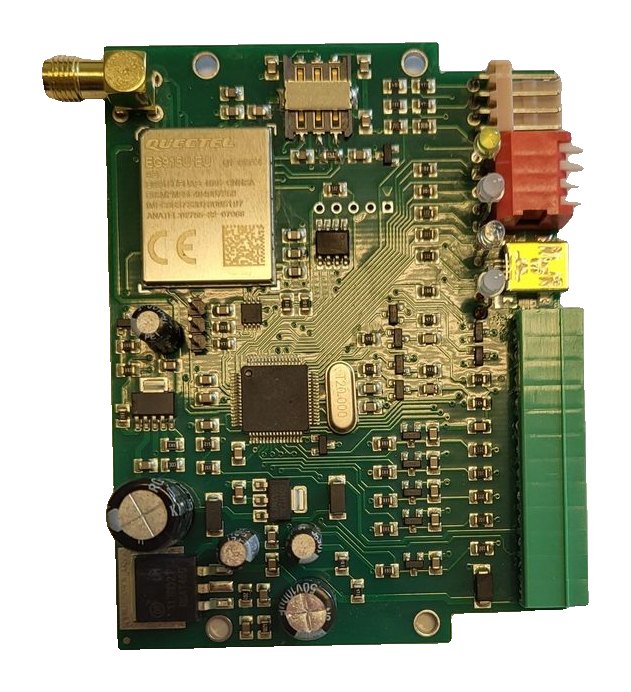
RT4-5GP/4 Contact ID event codes: transmitter messages and panel codes
A reference for monitoring-centre technicians and installers: which Contact ID codes arrive from the RT4-5GP/4 transmitter — its own messages about power, inputs, link and test, and the events of Paradox, DSC and CADDX NX panels — and how the codes differ between panels.
How to read a code
- A code starts with a letter: E — alarm or disarming, R — restore or arming.
- Then come three digits of the event code and three digits of the zone or user number. The tables below use this form: E830003 — alarm on transmitter input 3.
- The partition is sent separately. The transmitter’s own messages always arrive with partition 99.
- An undescribed message in Win SC looks like this: Partitions=PP EventCode=FEEEZZZ, where PP is the partition, F the letter E or R, EEE the event code and ZZZ the zone or user.
- On a phone in “Code” mode the message arrives as FF, AAAA,EEEPPZZZ with the date, time and checksum: FF is 06 for an alarm or disarming and 07 for a restore or arming; AAAA is the account. The same alarm on input 3 reads 83099003.
The transmitter’s own messages
These codes are generated by the RT4-5GP/4 itself, whatever panel is connected to it. In “Text” mode the phone receives the text from the second column.
| Code | SMS text | Meaning | Sent by default to |
|---|---|---|---|
| E801000 | Module config. changed | Transmitter configuration changed | Sender of the command |
| E802001 / R802001 | Output 1 activated / deactivated | Output 1 switched on / off | Sender of the command |
| E802002 / R802002 | Output 2 activated / deactivated | Output 2 switched on / off | Sender of the command |
| E803000 | ID/safety code changed | Account or security code changed | Sender of the command |
| E804000 | Check bat or power | Forced exit from OnLine mode because the battery is low | User 1 |
| R808000 | Ready to work | Transmitter ready to work | User 1 |
| E822000 / R822000 | Transm.: Battery low / Battery restore | Battery supply below normal / normal | User 1 |
| E823000 | Test report | Test message | User 1 |
| E830001–E830004 / R830001–R830004 | Transm.: Alarm zone 1–4 / Restore zone 1–4 | Alarm / restore on inputs 1–4 | Users 1 and 2 |
| E830005 / R830005 | Transm.: Alarm zone 5 / Restore zone 5 | Input 5: alarm or mains power failure / restore | Users 1 and 2 |
| E833020 / R833020 | Port failure / Port OK | Communication port failure / restore | User 1 |
| E854001 | GPRS error | IP connection could not be established | User 1 |
| E854002 | OnLine 1 error | Connection to the main server failed | User 1 |
| E854004 | OnLine 2 error | Connection to the backup server failed | User 1 |
| E854005 | OnLine 3 error | Connection to the duplicate server failed | User 1 |
| E855001 / R855001 | Automatic restart | GSM modem restart | User 1 |
⚠ If an input’s event code has been changed (not 830), the zone number in the message is always 000. So do not give different inputs the same code other than 830.
Panel codes: how they differ
In the Esprit, MG/SP/E, EVO, DSC 1, DSC 2 and CADDX NX modes panel events arrive in Contact ID format. The main codes match, but not all of them. The table lists the most common events; xx and xxx are the zone or user number.
| Event | Paradox Esprit, MG/SP/E | DSC Power (Key-BUS) | Paradox Digiplex EVO | CADDX NX |
|---|---|---|---|---|
| Zone alarm | E1300xx | E1300xx | E130xxx | E130xxx |
| Zone restore | R1300xx | R1300xx | R130xxx | R130xxx |
| Zone tamper | E1370xx | E3830xx | E144xxx | E137xxx |
| Panic | E120000 | E120000 | E120000 | E120001 |
| Duress code | E121000 | E121000 | E121xxx | E121000 |
| Fire alarm | E115000 | E115000 | E115000 | E110001 |
| AC (mains) failure | E301000 | E301000 | E301000 | E301xxx |
| Panel battery | E302000 | E302000 | E309000 | E309001 |
| Siren fault | E321000 | E321000 | E321000 | E321xxx |
| Disarmed by user | E4010xx | E4010xx | E401xxx | E401xxx |
| Armed by user | R4010xx | R4010xx | R401xxx | R401xxx |
| Zone bypass | E5700xx | — | E570xxx | E570xxx |
| Test message | E602000 | E602000 | E602000 | E602001 |
| Programming mode entered | E627000 | E627000 | E627000 | E627001 |
- Zone and user number: two digits for Esprit, MG/SP/E and DSC, three for Digiplex EVO and CADDX NX.
- Zone tamper: code 137 for Esprit, MG/SP/E and CADDX NX, 383 for DSC, 144 for Digiplex EVO.
- Panel battery: code 302 for Esprit, MG/SP/E and DSC, 309 for Digiplex EVO and CADDX NX.
- CADDX NX distinguishes zones by type: besides 130 it sends codes 131 (perimeter), 132 (interior), 133 (24-hour), 134 (entry) and 135 (day/night).
- For CADDX NX the xxx field of codes 301 and 321 holds the module number; for code 137 it is the module or zone number.
Account and partition in messages
- In the panel modes messages arrive with the RT4-5GP/4 account — the panel’s own account is not used.
- The transmitter’s own messages arrive with partition 99, so they are easy to tell apart from panel events.
- In Serial BUS (Standard) mode messages are not converted to Contact ID: they are passed on exactly as the connected device produced them. If the device has account 9999, the transmitter replaces it with its own; the Replace account option on the Advanced Settings tab replaces any account.
- In ABUS II mode all information is sent in Contact ID format.
What to do about service codes
- E854001 (GPRS error) — check the APN and that the operator provides the data service.
- E854002, E854004, E854005 (OnLine error) — check the server IP address and TCP port, and the router and firewall settings.
- E804000 (Check bat or power) — the battery is low and the transmitter has left OnLine mode. Below 8 V it stops sending messages and resumes at 11.5 V.
- E833020 (Port failure) — check the connection to the panel and the mode switch position. Change the mode only with the power off.
Descriptions in Win SC, on the phone and in the app
- In Win SC, load the RT4-5GP/4 cards on the TLF Events tab and add the descriptions for the connected panel — the operator then sees text instead of a code.
- In “Text” mode the phone receives the time, partition and event description, for example “Transm.: Alarm zone 1”. An English table is loaded by default; Russian and Latvian tables are available at ff.cortex.lv and are loaded with USB_Reader or TLF_Serv.
- Win SC cannot receive text messages: the monitoring centre uses “Code” mode.
- In the Defendex app Contact ID codes are decoded into readable text — the site owner does not need to know them.
- The full code tables are in the manual’s appendices: 4 — the transmitter’s own messages, 5 — Esprit, 6 — MG/SP/E, 7 — DSC (Key-BUS), 8 — Digiplex EVO, 9 — CADDX NX.
Documentation
Learn more
- Registering a site in Win SC →
- Connecting to a Paradox panel →
- Connecting to DSC and CADDX NX panels →
- Alarms in the Defendex app →
This guide is based on the CORTEX manual. If you have questions, call technical support: +371 26485444 (24/7).