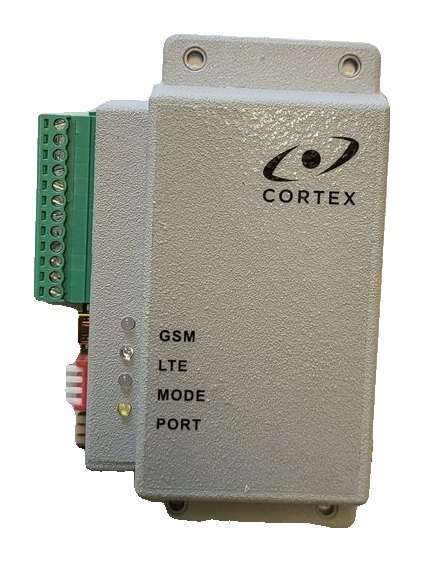
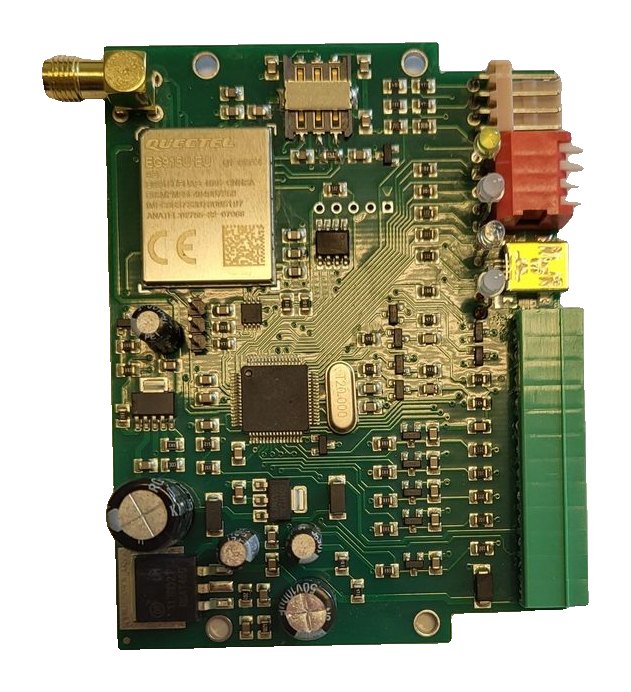
RT4-5GP/4 SMS commands: complete reference
Every SMS command of the RT4-5GP/4 transmitter on one page: output control, users and the security code, server connection settings, test, status queries and firmware update — with the transmitter’s reply and who may use each command by default.
Rules for sending
- Commands are accepted only from the phones of registered users. The transmitter recognises the sender by the last 8 digits of the number.
- Type the command exactly: with an extra or missing character, including a space, it is ignored.
- The phone must send SMS in text mode.
- In the commands below xxxx is the transmitter’s security code, 1234 by default.
- The transmitter answers most settings with the message E801000 (“Module config. changed”).
- U1–U4 in the tables are users one to four; the first user is the master.
Registering the master for the first time
- Insert the SIM card (PIN 0000 or PIN request disabled), apply power and wait for the green MODE indicator.
- From the phone that will become the first user, send 91. followed by that phone’s own number, for example 91.+37122334455.
- The transmitter compares the number in the message with the sender’s number: if they match it registers the master and replies OK; otherwise it replies ERROR.
⚠ A number with the international code is written with a “+”. The maximum number length is 15 digits.
Control
| Command | What it does | Reply | Available to |
|---|---|---|---|
| * | Switch the message mode “Text” / “Code” | Site status | Everyone |
| 0 | Request the site status | Inputs in alarm, or “Battery OK” if all are normal | Everyone |
| 1 | Switch output 1 on | E802001 | U1, U2 |
| 2 | Switch output 1 off | R802001 | U1, U2 |
| 1.xxx | Switch output 1 on for xxx seconds | E802001 | U1, U2 |
| 3 | Switch output 2 on | E802002 | U1, U2 |
| 4 | Switch output 2 off | R802002 | U1, U2 |
| 3.xxx | Switch output 2 on for xxx seconds | E802002 | U1, U2 |
| 081.xxxx | Restart the transmitter | R808000 | U1 |
| 00.xxxx | Set the transmitter to its normal state | Site status | U1 |
Users and security
| Command | What it does | Reply | Available to |
|---|---|---|---|
| 91.number | Change the first user’s phone | E801000 | U1 |
| 92.number | Change the second user’s phone | E801000 | U1, U2 |
| 93.number | Change the third user’s phone | E801000 | U1, U3 |
| 94.number | Change the fourth user’s phone | E801000 | U1, U4 |
| 92, 93, 94 | Delete the second, third, fourth user | E801000 | U1 |
| 81, 82, 83, 84 | Request the phone of users one to four | Phone number | U1 |
| 95.xxxxyyyy | Change the transmitter account: xxxx — security code, yyyy — new account | E803000 | U1 |
| 96.xxxxyyyy | Change the security code: xxxx — old code, yyyy — new code | E803000 | U1 |
| 99.Nx | How many last digits identify a number (x up to 16; 99.N0 — the full number) | E801000 | U1 |
⚠ When a duplicate server is used, the third user’s phone is not used even if it is entered.
Server connection
| Command | What it sets | Reply | Available to |
|---|---|---|---|
| 99.I<IP> | IP address of the main server | E801000 | U1 |
| 99.P<port> | TCP port of the main server | E801000 | U1 |
| 99.II<IP> | IP address of the backup server | E801000 | U1 |
| 99.PP<port> | TCP port of the backup server | E801000 | U1 |
| 99.A<APN> | Access point (APN) of the SIM card | E801000 | U1 |
| 99.Y1<login> | User name for operator authorisation, up to 8 characters | E801000 | U1 |
| 99.Y2<password> | Password for operator authorisation, up to 8 characters | E801000 | U1 |
| 99.DD<name> | Server domain name, if used | E801000 | U1 |
| 99.DI<IP> | IP address of the DNS server, if used | E801000 | U1 |
| 99.M<min> | Time between attempts to restore the server connection, up to 255 | E801000 | U1 |
| 99.R<min> | Time between attempts to return to the main server | E801000 | U1 |
| 99.O<sec> | How often information is requested from the server, 15 to 255 | E801000 | U1 |
| 99.Wxxxx | Online identifier, up to 15 digits | E801000 | U1 |
| 87.xxxx | Start working in OnLine mode | Depends on the result | U1 |
| 85 | Restart the IP connection to apply new settings (GPRS mode only) | — | The server |
- Commands 99.Y1 and 99.Y2 without text delete the login and password.
- To switch from a domain name to connecting by IP address, clear the DNS server address with 99.DI and no address.
- It is recommended to make the Online identifier equal to the transmitter’s SIM card number without the international code.
- The duplicate server cannot be set up by SMS — only with USB_Reader or TLF_Serv.
Test and time
| Command | What it sets | Reply | Available to |
|---|---|---|---|
| 99.Txxx | Test message period: xxx × 10 minutes, maximum 255 | E801000 | U1 |
| 99.CddMMyyhhmmss | Date and time: day, month, year, hours, minutes, seconds | E801000 | U1 |
Querying settings and status
| Command | What comes back | Available to |
|---|---|---|
| 99.C1 | Firmware version, addresses and ports of the three servers, the mode for leaving OnLine when the battery is low | U1 |
| 99.C2 | Test period, connection check and restore intervals, output modes | U1 |
| 99.C3 | Operator, signal level, data service availability, APN | U1 |
| 99.C4 | Operating mode, SIM card state, auto-update, inputs in alarm, outputs, users, OnLine | U1 |
An acceptable signal level (CSQ) is 15–20 units, a good one is 20–30.
Firmware update
The command xxxx:update, where xxxx is the security code, starts a firmware update from the manufacturer’s server. It works in both OnLine and OffLine mode, whether or not automatic updating is enabled.
⚠ Do not switch off the transmitter’s power while the update is running: the LTE indicator blinks blue quickly.
What cannot be done by SMS
- The input type (NO or NC), input event codes and output functions are set in USB_Reader, on the Advanced Settings tab.
- The call-activated command and the message text tables are set up in USB_Reader or TLF_Serv.
- The site owner does not need commands: arming, disarming and viewing events is easier in the Defendex app.
Documentation
Learn more
- Backup SMS and SMS commands →
- Setting up the server connection →
- Link check: indicators and 99.C1–99.C4 →
- RT4-5GP/4 Contact ID event codes →
This guide is based on the CORTEX manual. If you have questions, call technical support: +371 26485444 (24/7).