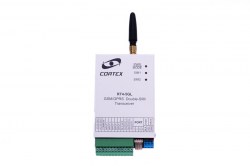
RT4-5GL/4: Dallas keys, key-switch and arming by SMS
In alarm panel mode the RT4-5GL/4 is armed in three ways: with an electronic key, a key-switch or an SMS command. How to register keys, what the reader LED shows and which messages go to the monitoring centre.
Three ways to arm
| Method | How it works | What is needed |
|---|---|---|
| Dallas or contactless keys | Touch the reader with a registered key | A reader on the interface port; KeySwitch checkbox off |
| Key-switch | Close contacts 1 and 2 of the interface port connector | KeySwitch checkbox on |
| SMS command | Send 11, 10 or 12 with the security code | Works correctly only in Dallas mode |
What the reader LED shows
| LED | Meaning |
|---|---|
| Steady on | Disarmed, ready to arm |
| Off | Disarmed, not ready: one or more inputs are triggered |
| Double blink every 2 seconds | Armed |
| Fast blinking | User key registration mode |
| Triple blink every 2 seconds | Guard key registration mode |
In key-switch mode an external LED shows the same.
Arming and disarming with a key
- Close the doors and windows and make sure the reader LED is steady on — the site is ready.
- Touch the reader with a registered key. If the site is not ready, a long beep sounds and the LED blinks the number of the first zone that is not ready.
- The exit delay starts: the beep sounds once every two seconds, and once a second in the last ten seconds.
- When the delay ends the transmitter goes into armed mode (double blink of the LED) and sends a message to the monitoring centre.
- To disarm, enter through the delayed zone — the entry delay starts with a continuous tone — and touch the reader with the key before it ends. A disarm message is sent; if you are late, an alarm for the triggered zone is sent instead.
If the key is used again during the exit delay, the transmitter returns to “Disarmed” without sending anything to the monitoring centre.
STAY ARM mode
- At least one zone must have the Stay/Away flag.
- During the exit delay the transmitter watches the delayed zone (IN2). If the door was not opened, STAY ARM mode is switched on: triggers of zones with the Stay/Away flag are ignored.
- If the door was opened during the exit delay, the site is armed in the normal mode.
- A separate entry delay is set for STAY ARM mode.
Registering keys
| Key type | Purpose | How to register | How many |
|---|---|---|---|
| Master key | Switches on the key registration modes | The first key held on the reader for about 1 second; a triple beep sounds | 1 |
| User keys | Arming and disarming | Touch with the master key (LED blinks fast), then touch with the keys one by one | Up to 16 |
| Guard keys | Confirm that the patrol has arrived: a message goes to the monitoring centre | Touch twice with the master key (triple blink every 2 seconds), then touch with the keys one by one | Up to 16 |
- After each key a triple beep means the key is registered; a long beep means this key is already registered.
- To leave registration mode, wait 1 minute without using keys. The master key used in user registration mode switches to guard key registration; used in guard mode, it ends registration.
- Guard keys cannot arm or disarm the site or silence the siren.
Deleting keys
Disconnect all external devices from the transmitter, short the given input to the first contact of the interface port connector and apply power.
| What to delete | Which input to short |
|---|---|
| All keys including the master key | Input 2 |
| All user keys | Input 3 |
| All guard keys | Input 4 |
⚠ When the master key or the user keys are deleted, the transmitter is forced into “Disarmed” mode.
Key-switch
- To arm, close contacts 1 and 2 of the interface port connector; to disarm, open them.
- If the contacts are closed while the site is not ready, arming is ignored: a long beep sounds and the LED shows the number of the first zone that is not ready. Remove the cause, open the contacts and close them again.
- If the contacts are opened during the exit delay, the transmitter returns to “Disarmed” without sending anything to the monitoring centre.
- To silence a siren triggered by a 24-hour zone while disarmed, close and open the contacts.
Arming and disarming by SMS
The commands are sent by a user with the corresponding rights — the first user by default. xxxx is the transmitter’s security code, 1234 by default.
| Command | Action | Message to users |
|---|---|---|
| 11.xxxx | Arm (AWAY) | Remote ARM — R840016 |
| 10.xxxx | Arm in STAY mode | Remote STAY ARM — R841016 |
| 12.xxxx | Disarm | Remote DISARM — E840016 |
- Before arming, the transmitter checks its inputs. If any zone is in alarm, the site stays disarmed and the sender receives the site status listing those zones.
- Remote arming and disarming work correctly only in Dallas mode.
What arrives at the monitoring centre
| Code | SMS text | Event |
|---|---|---|
| R8400xx / E8400xx | Armed by user xx / Disarmed by user xx | Armed / disarmed by user xx |
| R8410xx / E8410xx | Stay Armed. User xx / Stay Disarmed. User xx | Armed / disarmed in Stay Arm mode |
| R840016 / E840016 | Remote ARM / Remote DISARM | Armed / disarmed remotely |
| R841016 | Remote STAY armed | Armed remotely in Stay mode |
| E8580xx | Guard key xx | Guard xx touched the reader with a key |
| E821000 | Not registered key | An unregistered key was used |
| E829000 / R829000 | Key program mode ON / OFF | Key registration mode entered / left |
The current arming state is shown by command 99.C4, line PanStat. This article is based on the RT4-5GL V3.4 user manual.
Documentation
- 📄 RT4-5GL v3.4 user manual (Russian)
- 📄 RT4-5GL v3.4 user manual (Latvian)
- 📄 RT4-5GL v3.4 user manual (English)
- 📄 RT4-5GL v3.4 programming manual (Russian)
- 📄 RT4-5GL v3.4 programming manual (Latvian)
- 📄 RT4-5GL v3.4 programming manual (English)
Learn more
This guide is based on the CORTEX manual. If you have questions, call technical support: +371 26485444 (24/7).