Checking a GSM transmitter: LEDs and SMS commands 99.C1–99.C4
How to use the LEDs and short SMS commands to see whether an RT4-5GP/4 transmitter has network coverage, enough signal, a link to the monitoring centre and which firmware it runs.
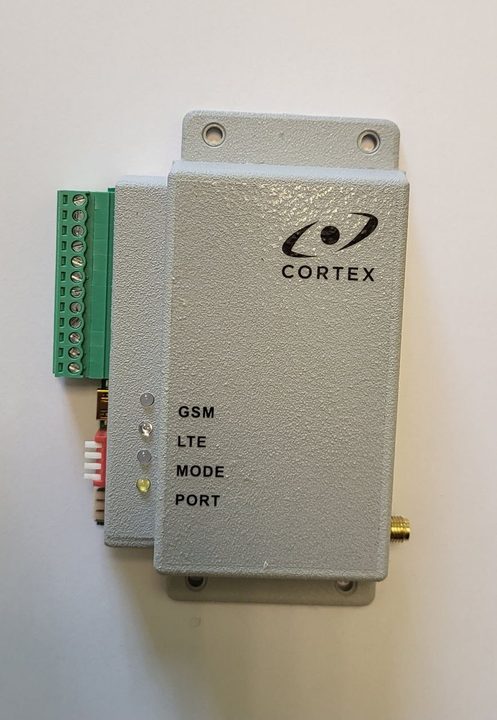
MODE LED — transmitter status
| LED | Meaning |
|---|---|
| Off | The transmitter is not ready |
| Green | Ready |
| Single yellow flash | An event has been generated |
| Fast green flashing | Trying to send a message |
| Several red flashes | A message could not be sent; the number of flashes is the user number |
| Green flash once per second | Supply voltage below normal |
| Red | Programming mode |
| Continuous yellow flashing | The transmitter is locked to another SIM card |
GSM and LTE LEDs — network and signal
| LED | Meaning |
|---|---|
| GSM lit, flashing every 3 seconds | OnLine mode; the colour is the signal level: green high, yellow medium, red low |
| GSM only flashing every 3 seconds | OffLine mode (SMS only); the colour is the signal level |
| GSM red flash once per second | SIM card not activated or faulty, or no network |
| LTE blue | The transmitter is on the 4G (LTE) network |
| LTE off | 4G is not available, the transmitter works on 2G |
| LTE fast blue flashing | Firmware update in progress — do not disconnect power |
SMS commands for checks
Send the commands from a registered user’s phone. The transmitter replies with one SMS.
| Command | Reply | What to check |
|---|---|---|
| 99.C1 | Firmware version, IP addresses and ports of the main, backup and duplicate servers | Whether the monitoring centre addresses are correct |
| 99.C2 | Test period, reconnection intervals, output modes | TestTime — test message period in tens of minutes |
| 99.C3 | Operator, signal level, data service availability, APN | CSQ: 15–20 acceptable, 20–30 good; CGREG must be 1,1 |
| 99.C4 | Operating mode, SIM status, auto upgrade, inputs in alarm, users | Mode — the expected mode; Online: ON — the server link is up |
Troubleshooting
- GSM flashes red once per second — check the SIM card: it is activated, the PIN is 0000 or disabled and there is credit on the account.
- MODE flashes yellow continuously — the transmitter is locked (Lock SIM) to another SIM card. It can only be unlocked at the factory.
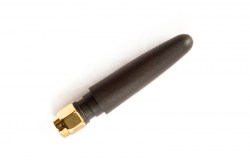
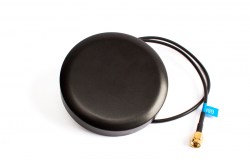
- CSQ below 15 — move the antenna or use an external GSM antenna.
- CGREG is not 1,1 — the data service is unavailable: check the APN and the service with the operator.
- A command does not work — check the text: one extra character or space and the command is ignored. The sender number is matched by its last 8 digits (changed with 99.Nx).
Documentation
This guide is based on the CORTEX manual. If you have questions, call technical support: +371 26485444 (24/7).