Registering the RT4-5GP/4 in Win SC: site card, link monitoring and event descriptions
For alarms from the RT4-5GP/4 transmitter to appear at the monitoring centre in Win SC (Security Commander), the site must be set up correctly: fill in the Phone, IP block, set test and link monitoring and load the event descriptions. A step-by-step guide for monitoring centre technicians.
How a message reaches Win SC
- In OnLine mode the RT4-5GP/4 sends events over 4G/2G to the TLF_Server.
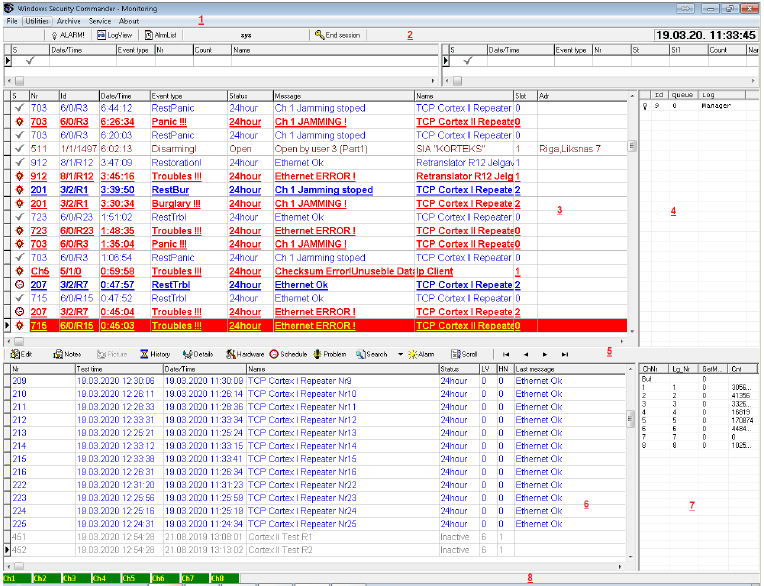
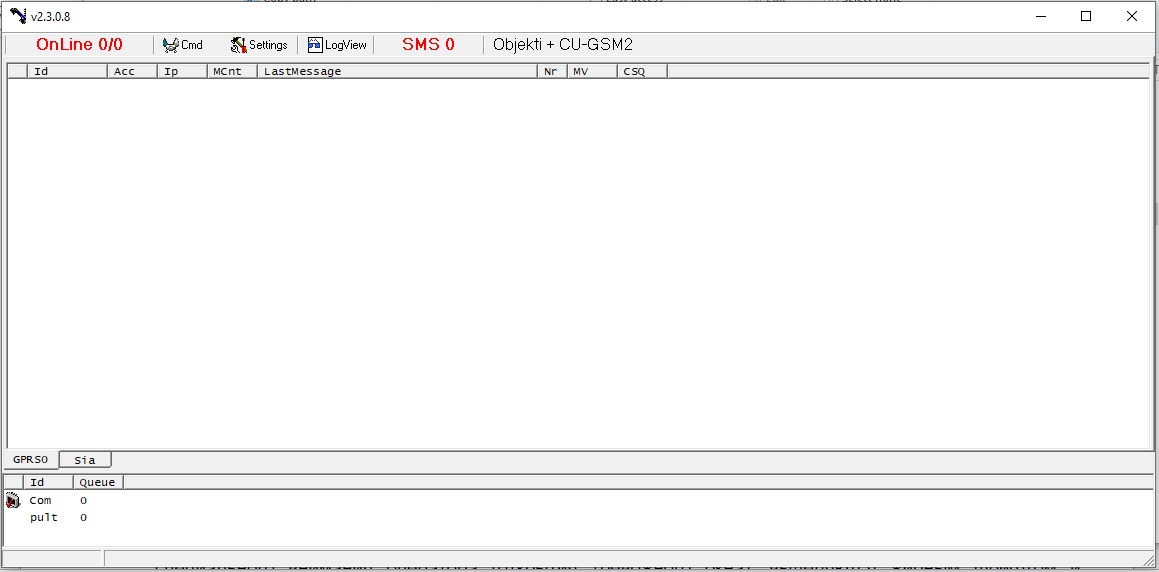
- Win SC receives them through an IpClient receiver: it connects to TLF_Server and can work with several servers at once, one channel each.
- The program finds the site by account, channel and line and shows the event with its description.
The IpClient receiver is configured in the IpClient.ini file: for each channel you enter the server address and port and the channel name (Id) registered on the server. The name must match exactly, including upper and lower case and spaces. On a successful connection the program shows “Connection to Server Ok” and “Autorization Ok” for the channel at start-up.
Site card: the Phone, IP block
The RT4-5GP/4 data is entered in the site editor in the Phone, IP block. The Radio block is left empty unless the site also has a radio transmitter.
| Field | What to enter |
|---|---|
| Account | The transmitter account. Each RT4-5GP/4 must have its own unique account |
| Channel | The reception channel number assigned to the IpClient receiver |
| Line | The line number set in TLF_Serv |
| Phone | The transmitter SIM card number (its Online ID). The program uses it to send commands and requests to the transmitter |
| Partition | The partition number if each partition is a separate site, or ?? if all partitions belong to one site |
| Template | An event code description template. Entries on the site’s own TLF Events tab take priority over the template |
Test and link monitoring
| Parameter | What it sets | Recommendation |
|---|---|---|
| Transm. test time | Radio transmitter test monitoring | 00:00 if the site has no radio transmitter |
| Object test time | Monitoring of the transmitter test message: if no test arrives within this time, the alarm “No signal from object” is raised | 5–10% longer than the real test period; 0 — no monitoring |
| Event control time | OnLine monitoring: if the control message does not arrive within this time, the alarm “Object Off Line” is raised and the site status becomes OffLine | 0 — no monitoring, the status will be Unknown |
| Test event | The control message code | FF by default — generated by TLF_Serv for each transmitter while it is connected |
| Reminder timeout | After what time unrestored alarms from the Alarm list are shown again | 0 — no repeats |
- The test message period in the transmitter itself is set with 99.T (in tens of minutes); the test arrives with code E823000.
- Test monitoring only works if the site’s event descriptions contain at least one S-type (test) message. The code in the Test event field must also be given type S.
Event descriptions: the TLF Events tab
- Open the TLF Events tab and use the context menu to load the RT4-5GP/4 card — the descriptions of the transmitter’s own messages.
- Add the event descriptions of the connected panel (Paradox, DSC, CADDX NX) with Append from card: it keeps the entries already loaded. Load from card replaces them.
- Check the event types: alarms — P, F, B, troubles — T, 220 V mains — W, arming and disarming — A and D, test — S.
The transmitter’s own messages arrive with partition 99: input alarms E830001–E830005, battery E822000, test E823000, link errors E854001–E854005. An undescribed event is shown as “Partition= … EventCode= …”. If one code is described twice, the program will not save the card and shows the error “Repeating of event code!”.
Event types
| Type | Meaning |
|---|---|
| P, F, B | Alarms: panic, fire, burglary |
| T | Trouble: tamper, low battery and so on |
| W | 220 V mains monitoring; for these events column R must always be Y |
| A, D | Arming and disarming |
| R | Alarm restore |
| E | Neutral event; undescribed events also get this type |
| S | Test message |
Checking
- When Win SC starts, “Connection to Server Ok” and “Autorization Ok” appear for the IpClient channel.
- In the site window the site status is OnLine.
- Trigger an alarm on the panel or on a transmitter input: the event should arrive with the right description and appear in the Alarm list.
- Wait for a test message: there should be no “No signal from object” alarm.
- Send a request to the transmitter from the program — this checks the Phone (Online ID) field.
Documentation
- 📄 RT4-5GP/4 V51.xx installation manual (Russian)
- 📄 RT4-5GP/4 V51.xx installation manual (Latvian)
- 📄 Security Commander v5.x, Server (Russian)
- 📄 Security Commander v5.x, Server (Latvian)
- 📄 Security Commander v5.x, Server (English)
Learn more
- Win SC — monitoring centre software →
- RT4-5GP/4 Contact ID event codes →
- Setting up the server connection →
This guide is based on the CORTEX manual. If you have questions, call technical support: +371 26485444 (24/7).